 ankit tiwari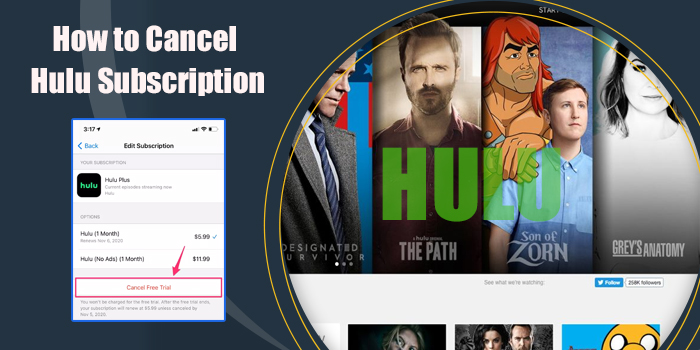
Hulu works as a paid streaming service in the USA. It offers various kinds of entertainment, be it movies, live sports coverage, and others. Users can choose to stop using Hulu if they find it’s not fulfilling their needs. To do so, they need to cancel the active subscription. If you’re someone who’s finding how to cancel Hulu subscription, take out time and go through this practical step guide.
Hulu can be used on any device with a good internet connection. Popular devices where Hulu is streamed are smartphones, tablets, Smart TVs, etc. Apart from its original content, Hulu also offers content from popular broadcast networks, including NBC, Fox, cable channels, and more. Users have to subscribe to one of its plans (ad-free and ad-supported) to watch their favorite piece. In some specific categories, a discount is given. Hulu’s price ranges from $9.99 to $95.99, depending on the type of plan selected.
Key Takeaways!
- Hulu is a subscription-based streaming option that operates along with third-party options to subscribe to it.
- If you’re done with Hulu, cancel the subscription directly through Hulu officials or the third-party source you’ve subscribed to.
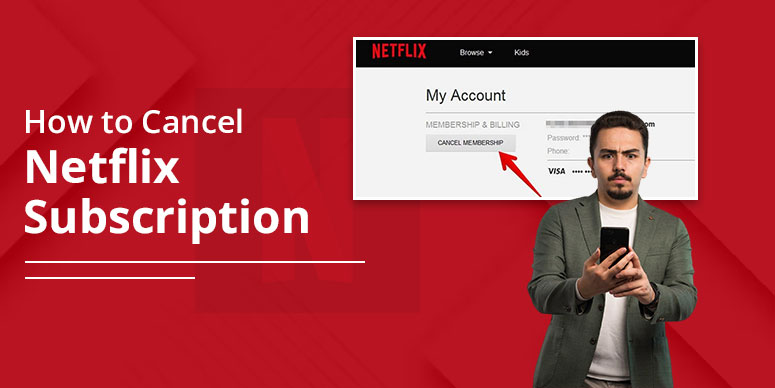
- To cancel directly, visit Hulu.com>log in>visit account page>tap Cancel under Your Subscription.
- After cancellation, you can continue using your active plan till the billing cycle permits.
- Users can choose to pause the subscription for a short-term break. Pausing remains up to 12 weeks on Hulu.
Why You Might Want to Cancel Your Hulu Subscription
Among various reasons, we have shortlisted common ones that are concerning users a lot. Check below on your own:
Annoying frequent Ads: Many Hulu users were found complaining about the constant ads every time they open the Hulu app. This ruins their experience. The issue is not only with ad-supported plans, but sometimes it comes with ad-free plans as well due to a technical glitch. So, annoying ads led to the cancellation of Hulu.
Technical Challenges Faced By Users: Technical challenges such as app crashing, network loss, server down, and problems with logging in all frustrate the user, leaving the user to decide to quit. Many such concerns are widespread on the discussion platform; one of them is pasted below:
Price is High: In most cases, price is the main reason why users leave Hulu. In a survey of 2023, the reason why people quit streaming subscriptions is the rising cost. So, the high price of the streaming platform could be one reason for leaving the platform.
Uninteresting Content: The uniqueness is required in the world of entertainment, and sadly, the platform misses that. As a result, people look for new options to be entertained.
Things To Know Before Cancelling Hulu
Some important things should be kept in mind before cancelling the Hulu plan. Have a look:
- Know billing cycle: Hulu works on a monthly subscription model; thus, cancelling at the start of the billing period will be of no benefit. Upon cancellation, users don’t get a refund on Hulu, and therefore, they should do it just before a day or two to avoid wasting money.
- No refund after cancellation: You won’t get a refund for the cancellation of your Hulu subscription. The only benefit you get is that the billing charges stop after the existing plan expires. So, before cancelling, know this.
- Cancelling step is different if subscribed via third-party: If you have subscribed through third-party platforms like Google Play Store or App Store, cancel from there only. The direct method will not work in this case.
How To Cancel Hulu On A Web Browser
In order to stop your Hulu subscription on a browser, you should visit the official Hulu website. We describe the full process here:
- Open Hulu.com
- Log in using your account credentials.
- Visit the Account page.
- Tap Cancel beneath the ‘Your Subscription’ section.
- Finally, tap ‘Cancel Subscription.’
Note: You can pause instead of cancelling by choosing the ‘Pause’ option. This will pause your account for 12 weeks.
How To Cancel Hulu on Android
- To cancel Hulu plan on Android, these steps work the best.
- Launch Hulu app and log in.
- Select Account section from the bottom right corner.
- Tap Account and enter your account password.
- Finally, click the ‘Cancel’ button near ‘Cancel Your Subscription.’
How To Cancel Hulu Through Roku, Amazon, or Other Providers
If you have opted for third-party platforms for subscribing to Hulu and now wish to unsubscribe, then you can do so only through their official platforms. For example, App Store or Google Play Store, Roku, Amazon, and others.
By pressing the respective link, you will get to the dedicated page where the steps are outlined. After following the steps, you will successfully cancel your Hulu subscription.
How To Cancel Hulu Via iTunes Or Apple Devices
When you’ve subscribed through iTunes or Apple devices, here is how you can unsubscribe from the same platforms:
- First: visit iTunes and pick your account.
- Tap ‘View My Account’ and log in using Apple ID.
- Select Subscriptions under Settings.
- Tap ‘Edit’ button beside Hulu to cancel section.
What Happens After You Cancel Hulu
After you cancel Hulu successfully, you will see many changes in your Account. We have mentioned what you will notice.
Your Plan remains Active Till the Billing Period sustains:
Even if you have cancelled the Hulu subscription, your plan still remains active until the billing cycle. That means you can still stream on Hulu till the subscription is valid. For example, let’s say you cancel your plan on the 3rd of September, and your billing period is 30 each month. In this case, you can stream till 30 September.
No charge after the cancellation:
Once you stop the billing cycle by unsubscribing to Hulu on your device, there will be no deductions at all. Your payment option is not charged with the regular cost it used to.
Bundles and Third-party subscriptions affected:
Of course, once you cancel Hulu, it will impact all kinds of subscriptions, direct or third-party. You can watch till your billing period; after that, no access to the content.
Reactivate anytime:
Also, once you cancel the subscription on Hulu, it doesn’t mean you can’t come back. So, even though you cancel the subscription, your account is still there. Just subscribe to one of the suitable plans and stream again.
How To Pause Your Hulu Subscription Instead of Cancelling
Instead of completely cancelling, you can choose to pause the Hulu subscription with the help of the given steps:
- Visit your Hulu account.
- Tap the profile from the upper right corner.
- Select account.
- Scroll and find ‘Your Subscription’ area.
- Tap the ‘Cancel’ option.
- Hulu will present you with an option to pause instead of cancel.
- Select the ‘Pause.’
- Select the duration you want to pause your subscription for.
- And then confirm the same.
How To Reactivate Your Hulu Account
- Visit Hulu.com or open the Hulu app.
- Sign in using your account credentials.
- Find the ‘Account’ page.
- Check the status of the subscription (paused or otherwise), and fix it by adding a payment option.
- Finally, tap ‘Restart’ or ‘Reactivate’ to continue using the services.
Frequently Asked Questions {FAQs}:
How do I cancel my subscription to Hulu?
Cancelling involves simply following: visit the Hulu website>navigate to account>select cancel under Your subscription. That’s it!
Is cancelling Hulu easy?
Yes, it is simple to cancel a Hulu subscription without much worry.
How do I check my Hulu subscription?
To check your existing plan on Hulu, visit Hulu.com>log in>navigate account page>tap your subscription tab and see your account details here.
How do I cancel subscriptions on my Amazon Prime account?
To cancel Hulu on Amazon Prime, visit the official Prime page. Log in there>tap membership and subscription>select Hulu>click Manage subscription or cancel, and that’s it.
Closure!
A Hulu subscription can be attained through direct or third-party means or via bundles. However, the same applies to cancelling as well. To cancel the subscription, identify the source of the subscription and continue following the cancellation steps there. The direct steps to cancel Hulu are visiting Hulu.com>logging in>selecting the account section> and tapping cancel under Your Subscription. The detailed steps are mentioned in the post. Check inside! Follow for more helpful guides!