
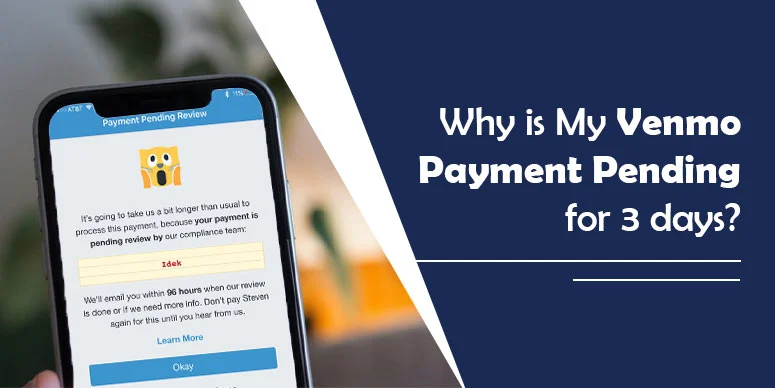
When a Venmo payment shows as “Pending”, it usually means the money has not yet been deducted from your bank or card account and has not yet reached the recipient. This can happen for several common reasons, including bank‑transfer timing, an unverified recipient, or security checks. In most cases, the payment will clear within a few days, but if it stays pending longer, it may need extra steps to fix or cancel.
What “Pending” and “On Hold” mean on Venmo
On Venmo, a payment labeled as “Pending” is usually still in processing and has not yet reached the recipient. A payment marked “On Hold” may be temporarily restrained for security or risk reasons, but it still belongs to the account holder. If you think your transaction is stuck, it helps to understand the difference so you can decide what to do next.
Why is My Venmo Payment Pending for 3 days?
Below are the main reasons why users may see a Venmo payment stuck in a pending state for several days.
Weekend or holiday bank delays
Most bank transfers between accounts take 1–3 business days, and banks often slow or pause processing on weekends and federal holidays. If you sent money near a weekend or holiday, a pending status for a few days is normal and may not require any action.
Unverified or inactive recipient
If you send money to an email address or phone number that is not linked to an active, verified Venmo account, the payment may stay pending or unclaimed. The recipient must sign up, verify their account, and accept the payment before the money is fully processed.
App or account glitches
Like any app, Venmo may occasionally experience temporary glitches or interface bugs that delay payment status updates. If the app looks stuck, try logging out and back in, updating the app, or restarting your phone before assuming the payment itself has failed.
Security or fraud checks
Venmo may temporarily freeze or delay a payment if it detects unusual activity, such as a large transfer, a new account, or activity from an unfamiliar device or location. This is a security step and not necessarily a sign that the payment will fail. If you do nothing suspicious, most of these holds resolve automatically within a few days.
Insufficient funds or funding issues
If your linked bank account or card does not have enough funds, or if the bank declines the authorization, Venmo may keep the payment pending until the issue is resolved. In some cases the payment can fail after a few days if the funding does not clear.
New or recently updated bank or card
When you add a new bank account or card to Venmo, the system may run verification checks that can temporarily delay payments. These checks normally complete within a few days and are part of standard account‑setup procedures.
Bank‑side processing delays
Some banks take longer to approve or complete ACH transfers, especially for first‑time transfers or large amounts. If the payment is pending for a few days and no other issues appear, the delay may simply be due to how long your bank takes to process the request.
Sending to someone without Venmo
If you send money to an email or phone number that is not linked to an active Venmo account, the payment may appear as pending or unclaimed. In this case the recipient must first create and verify a Venmo account to claim the funds. Until then, you may be able to cancel the payment under certain conditions (see the unclaimed section below).
Can you cancel an unclaimed Venmo payment?
You may be able to cancel a Venmo payment if it remains unclaimed and the recipient has not yet accepted it. However, not all pending payments can be canceled, especially if the recipient already has an active Venmo account. Always check your Activity screen to see if a Cancel option appears for that specific transaction.
How to check if you can cancel an unclaimed payment
- Open the Venmo app and tap the Activity tab at the bottom.
- Locate the payment labeled as Pending or Unclaimed.
- If available, tap the payment and look for a Cancel or similar option.
- If the option appears, follow the on‑screen prompts to cancel the payment. If there is no Cancel button, you usually cannot cancel the payment from your side.
Important note: Not all unclaimed payments can be canceled by the sender. If the recipient has an active Venmo account, the payment may not show a Cancel option at all. Venmo’s policies also state that unclaimed payments may be returned to the sender after a certain period if the recipient does not claim them, but this depends on your account type and the specific transaction. For exact timing and rules, refer directly to Venmo’s help center or contact Venmo support.
What to do if you sent money to the wrong person
If you accidentally send money to the wrong person, the first step is to check the payment status. If the payment is still pending or unclaimed, you may be able to cancel it from the Activity tab, provided a Cancel option appears. If the payment has already been accepted, you no longer control it directly and must request a refund from the recipient.
Sending money to a wrong but active recipient
If the payment has already been accepted by the recipient, Venmo will not automatically reverse it. You should contact the recipient and politely request a refund. In the Venmo app, you can open the Activity tab, select the payment, and use the in‑app chat feature (if available) to send a message explaining the mistake.
If the payment was for Goods and Services
If you sent the payment as Goods and Services and the recipient refuses to refund, you may be able to file a dispute through Venmo’s Resolution Center within the allowed timeframe. However, disputes are not guaranteed and require evidence such as messages, receipts, or screenshots. Venmo’s policies may change over time, so always check the official Venmo help pages for the latest rules and deadlines.
How to check if your payment is pending or on hold
In the Venmo app, you can see the status of your payment in the Activity tab. If the payment is still processing, it may show as Pending. If Venmo places a hold on a payment, it may display a small “On Hold” badge or label on the transaction. For business or merchant‑type payments, additional details may also appear in the Money tab or in your statement view.
My payment is on hold. What should I do?
If your payment is on hold, the money still belongs to you but may be temporarily unavailable. Venmo may apply a hold for security, verification, or risk reasons, and these holds often resolve automatically over time. You may receive a notification in the Venmo app or by email when your funds are available again. If a hold lasts longer than expected, you can contact Venmo support directly for more details.
Concluding Words
Many users use Venmo regularly but occasionally face confusion when a payment stays pending for days. If you see “Pending” or “On Hold” on Venmo, it does not always mean something is wrong. By checking the status in the Activity tab and understanding the common reasons behind delays, you can decide whether to wait, request a refund, or contact Venmo for help if needed.
Frequently Asked Questions
Find answers to common questions about Venmo pending and on‑hold payments below.
Q. Why is the money I sent on hold?
Ans. Venmo may place a hold on a payment for several reasons, including security checks, account or identity verification needs, or risk‑based rules. A hold does not mean the payment will fail, but it may delay when the funds are released or received.
Q. How to avoid payment holds?
Ans. You cannot avoid all automated holds, but you can reduce delays by keeping your account verified, using consistent login devices, and avoiding large or unusual‑timing transfers. If you are a seller, Venmo may still apply temporary holds for certain transactions as part of its risk‑management practices.
Q. How long does a pending payment take to resolve?
Ans. Venmo usually clears most payments within 1–3 business days. If the payment requires extra verification or is flagged for security, it may take longer or show as pending or on hold until the review is complete.