
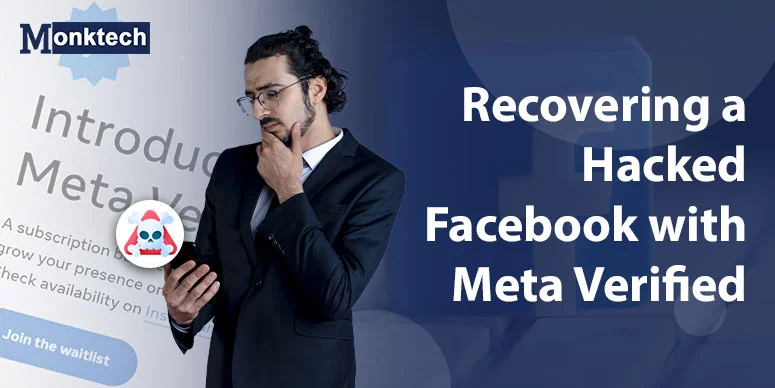
Your Facebook account was hacked and you can’t log in anymore. Start with Meta’s official recovery tools, then use Meta Verified support if it is available on your account.
This guide combines official Meta recovery guidance with real user reports from Reddit and other public forums, including r/facebookdisabledme. It is not affiliated with Meta and is shared for educational and informational purposes only.
Editor’s note: This guide focuses on the practical path that worked most often in public recovery reports: official recovery first, then support escalation, then follow-up with clear proof and consistent account details.
How Facebook Accounts Get Hacked or Locked
Hackers often change your password and email, locking you out completely. This usually happens when someone gets your password through a phishing scam, malware, reused passwords, or a weak password that is easy to guess. For general guidance, see the official Meta help page on hacked accounts.
What Meta’s official recovery flow usually needs
- Your old profile URL.
- Your original email or phone number if you still know it.
- Access to a device or account you still control.
- Photo ID if Meta requests verification.
Regular Facebook recovery can be automated, but Meta Verified may provide access to human support in some regions and account types. Public reports suggest it can help in some cases, but it is not guaranteed and should be treated as an escalation path, not a promise.
Official Recovery Steps, Then Meta Verified Escalation
- Create a new Facebook account only if you need a separate account to contact support. Use a new email address that was never linked to the hacked account and avoid reusing the compromised email or phone number.
- Subscribe to Meta Verified only if the option is available on your account. Open the app or website and look for the Meta Verified area in account settings; pricing and availability vary by region and profile type.
- Contact support through the available recovery channel. In Meta Verified support, choose the closest account-recovery issue available, such as hacked or disabled account support, and follow the on-screen instructions if chat is not available.
- Explain the situation clearly. Use a short, direct message like:
“My original Facebook account was hacked and I lost access. I am now writing from a new Meta Verified account. I need to recover my old account. Here is the URL of my old Facebook profile: [your-old-facebook-url].” - Provide your old account email (the one that used to be linked to the hacked account, even if the hacker changed it later). Meta support can use this email plus your profile URL to look up your old account in their systems.
- Send a photo ID if they ask. This is standard and helps prove that you are the real owner of the account. Make sure the name and photo on your ID reasonably match the details on your Facebook profile.
- Wait for their response and follow up if needed. Recovery time varies widely, and some users report success quickly while others need multiple follow-ups or escalations.
When Meta Verified Doesn’t Work: Common Roadblocks and Fixes
- Meta Verified chat button is missing (especially on iOS) – Some iPhone users say the “chat” option doesn’t appear inside the app. In that case, try opening Facebook or Instagram in Chrome or another browser on desktop, log into your Meta Verified account there, and check the support options again.
- Support says “we can’t help” – Don’t stop at the first reply. Many users only got real help after sending a second or third ticket. If the first agent closes your case with a generic message, open a new support request and ask why your specific case can’t be handled.
- Don’t use the hacked email for your new account – If you create the new Meta Verified account using the same email or phone the hacker used, it can trigger automatic security checks or bans. Instead, use a completely “clean” email (for example, a new Gmail) that was never associated with the hacked account.
- If you’re under 18, Meta Verified is not available – Meta Verified requires users to be 18+. A parent or adult guardian may need to help by creating the new account and managing the subscription, then working with Meta support on your behalf.
What to document before every follow-up
- Date and time of the last support reply.
- The exact profile URL you submitted.
- The email or phone number you gave support.
- Any error message or failed recovery code.
Case Study #1: How an Australian User Finally Got Their Hacked Facebook Back
Here’s a real recovery story from a Reddit user in Australia who got their hacked Facebook back using Meta Verified support. This is a simplified summary so you can see what actually happens in real life and not just in theory.
Source: u/spcogg on Reddit – shared their experience in r/facebookdisabledme about recovering a hacked and disabled Facebook account using Meta Verified support.
What happened to this user?
- Their Facebook account was hacked and then linked by the hacker to a random Instagram account that did not belong to them.
- Because of this suspicious Instagram link, Facebook disabled their FB profile.
- Their own Instagram account was still working, so they could log into Instagram but not into their original Facebook.
- They live in Australia, so US‑specific options like Attorney General complaints or small claims court were not available.
What they did to fix it (step by step)
- Subscribed to Meta Verified on their working Instagram account. They used their active IG profile as the entry point to contact Meta support through the Meta Verified program.
- Opened multiple support tickets. Over about one month, they opened around eight different support tickets. At first, most responses were generic messages telling them to read help articles, without fixing the real problem.
- Used both in‑app chat and email. When using Instagram in‑app chat, they kept the app open and stayed online; if they left the app, the chat could close and the agent might end the session. Email responses were slower but still useful as a backup.
- Found the hidden issue: different emails on Facebook and Instagram. After several tickets, one agent finally explained that the email on their Facebook account and the email on their Instagram (Meta Verified) account were different. Because of this, support could not clearly see the link between the verified IG account and the disabled FB profile.
- Updated the Instagram email to match the Facebook email. They changed their Instagram login email so it was exactly the same as the email used on their Facebook account. Once this was done, the next support agent could immediately see that both accounts belonged to the same person and became much more helpful.
- Sent the direct URL of their disabled Facebook profile. They gave Meta support the full profile URL of the disabled Facebook account. The agent used that URL plus the matching email to locate the exact account in Meta’s internal tools and then asked them for a new recovery email.
- Case was escalated to a “specialised team”. The support agent escalated the case internally. A specialised team took about one week to change the login email on the old Facebook account to the new recovery email that the user provided.
- First recovery code failed, so they tried again. The first recovery code they received did not work. They opened another ticket, clearly reported that the code failed, and the case was escalated a second time. After roughly another week, Meta fixed the issue with the recovery code and the user finally regained access to their hacked and disabled Facebook account.
What you can learn from this story
- Use Meta Verified on an account you still control (Instagram or Facebook) to reach human support more easily.
- Make sure your Facebook and Instagram use the same email address before contacting support. Matching emails make it much easier for agents to confirm that both accounts belong to you.
- Don’t give up after the first generic reply. It may take several tickets or chats before you get an agent who understands your case clearly and explains the real issue.
- Always send the direct URL of your disabled Facebook profile in every conversation. This helps agents locate the exact account quickly.
- Be patient with escalations. Internal “specialised teams” often take several days or more to process changes like email updates and recovery codes, and sometimes the first attempt may fail.
Editorial note: This case suggests that matching account details can be as important as opening a support ticket at all.
Case Study #2: When a US Music Teacher’s Facebook Was Permanently Disabled After a Hack
This second story shows what can happen when Meta Verified support is not enough, and the user is forced to consider legal options. It is especially relevant for small business owners who run ads or groups through Facebook.
Source: u/XRWaLLX33 on Reddit – posted in r/facebookdisabledme about a “Facebook Account Permanently Disabled After Being Hacked” in May 2026.
What happened in this case?
- Their Facebook account was hacked and then permanently disabled/deleted by Meta afterwards.
- They say the account was disabled without any useful notification or clear option to appeal from inside Facebook.
- The account was extremely important because they used Facebook Ads and Facebook Groups to market a private music teaching business, and the profile also stored personal memories and photos of friends and family members who had passed away.
- Meta support told them there was a time limit of 44 days before the account and data would be erased permanently.
What they tried before legal action
- Submitted reports through facebook.com/hacked.
- Used the AI chatbot on facebook.com/help and also reported the issue through their Instagram account, which was still accessible.
- Emailed multiple Facebook/Meta support email addresses and messaged Facebook directly through Instagram DMs.
- Purchased Meta Verified and spoke with two human support representatives via that channel, but neither was able to restore the account.
- By the time of posting, they had no successful resolution from any of these attempts and the 44‑day deletion countdown was active.
Their next plan: demand letter and small claims
- The user planned to send Meta a formal demand letter to the company, giving them a clear deadline to respond.
- If there was no meaningful reply within about 14 days, they intended to escalate the case to small claims court in their jurisdiction.
- They believed they had a strong case because:
- They ran a real business using Facebook Ads and Groups.
- They had evidence that the account was hacked.
- The account was disabled without a meaningful internal appeal path.
- In their post, they asked if anyone else had successfully recovered a Facebook account that was disabled after being hacked, and promised to update the community with any progress.
What you can learn from this story
- Meta Verified is powerful but not guaranteed. Even with Meta Verified and multiple tickets, some users with hacked and disabled accounts still do not get restored, especially when Meta flags the account as permanently disabled.
- Business and “Your Money or Your Life” (YMYL) use cases are higher risk. If you run ads, manage clients, or store important data on Facebook, you need backups and alternative channels (email list, website, other platforms) in case Meta locks you out.
- Legal escalation is an option in some countries. In places like the USA (and some EU countries), users sometimes send demand letters and then go to small claims court to push Meta to review a disabled account, especially for business losses.
- Time limits matter. Meta often gives a number of days (for example, 30–44 days) before data is erased. If your account is business‑critical, you may need to move quickly and document everything.
Quick Reality Check: What Usually Works (and When It Fails)
| Fix Attempted | Did It Work? | When It Fails |
|---|---|---|
| Get Meta Verified + live chat | Yes (many public user reports) | On very new accounts (for example, under 30 days old) or when information doesn’t match. |
| Submit hacked account form only | Yes in some cases | Often fails when the hacker changed your email/phone and you no longer receive security codes. |
| Contact support more than once | Often works on the 2nd or 3rd ticket | If the first ticket was closed quickly with a generic response. |
| Provide photo ID | Very effective when details match | Fails when the ID name, photo, or date of birth doesn’t match the account details. |
What to do before you contact support
- Save your original profile URL.
- Write down the email that was on the old account.
- Take screenshots of any error messages.
- Keep one clean email address ready for recovery contact.
Why this matters: consistent details make it easier for support to connect your reports to the right account.
FAQs
Can Meta Verified recover every hacked Facebook account?
No. It can help in some cases, but it is not guaranteed and may not be available in every region or account type.
Should I create a new account to contact support?
Only if you need a separate account to reach support and you cannot access your original account anymore.
What if I don’t have access to my old email or phone?
Use the hacked-account recovery flow and follow the prompts to confirm your identity with a new contact email or ID if Meta asks for it.
What These Cases Show
A practical recovery path often looks like this: use the official hacked-account flow first, then try Meta Verified support if it is available, and follow up with the right profile details if the case needs escalation.
Results vary widely by account history, region, and what support can verify. Some accounts recover quickly, while others stall or remain unavailable even after repeated follow-up.
Best practice: keep your recovery details consistent across every ticket, chat, and follow-up so support can verify the case faster.