
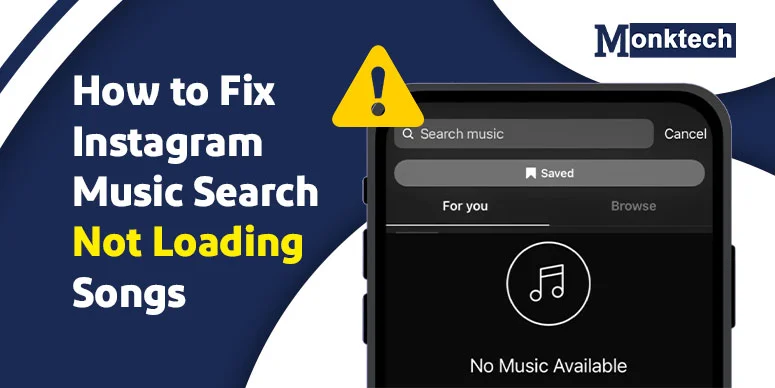
You open Instagram, tap the music option while uploading a Story or post, search for a song you want, and then… nothing useful shows up.
Sometimes Instagram shows only random tracks. Sometimes it shows a very limited music list. And sometimes the song search does not load the song you were actually looking for.
If that is happening to you, you are not alone. I saw many users discussing the same problem across Reddit, Quora, and Instagram-related help discussions. While researching this topic, I also tested the issue myself—much like diagnosing other random platform glitches, such as when Instagram drafts disappeared unexpectedly—and noticed that Instagram music search did not behave the same way for every search.
So this guide is not just based on general troubleshooting tips. It is based on:
- My own testing while researching this article
- Repeated user replies and common patterns found across public forum discussions
- Official Instagram help information about music restrictions and licensing
That matters because many articles on this topic repeat the same generic advice. But from what I noticed, the real issue is not always just a bug. In some cases, it is the account type. In some cases, it is the way the song is searched. And in some cases, the song may simply not be available in Instagram’s music library for your region.
Can You Fix Instagram Music Search Not Loading Songs?
Yes, in many cases you can. Based on my own testing and the repeated solutions shared by users in forums, the fixes below were mentioned most often and appeared to help the most.
- Switch your account from Business to Personal or Creator
- Reinstall Instagram completely
- Search using the exact song title, not just the singer’s name
- Check whether the song is actually available in Instagram’s library
- Use saved audio from another Reel if search is acting weird
- Log out and log back in
The important thing is this: do not assume every missing song means your app is broken. During my testing, I noticed that search behavior changed depending on how I typed the song name, and official Instagram guidance also shows that some music can be unavailable because of licensing rules.
What Issue Are We Actually Fixing?
When people say Instagram music search is not loading songs, they are usually talking about one of thwhat headings sese problems:
- The music search bar shows no useful results
- Only random or unknown songs appear
- Popular songs do not appear even when searched
- One account shows songs properly, but another account on the same phone does not (similar to app-vs-browser bugs like when Instagram says incorrect password but works on browser)
- The music library looks limited while adding a Story, Reel, or post
According to the Instagram Help Center, access to music can be limited for some uses because of copyright and licensing rules. That means not every missing song is a glitch. Sometimes the restriction is real, especially on business accounts or in certain regions.
At the same time, many forum users said the problem appeared suddenly even on personal or creator accounts. That is why this issue seems to sit in the middle of two things: real licensing limits and app-side glitches.
Before You Try Any Fix, Check These 2 Things First
1) Are You Typing the Exact Song Title?
This is something I noticed myself while testing for this blog, and honestly, it is easy to miss.
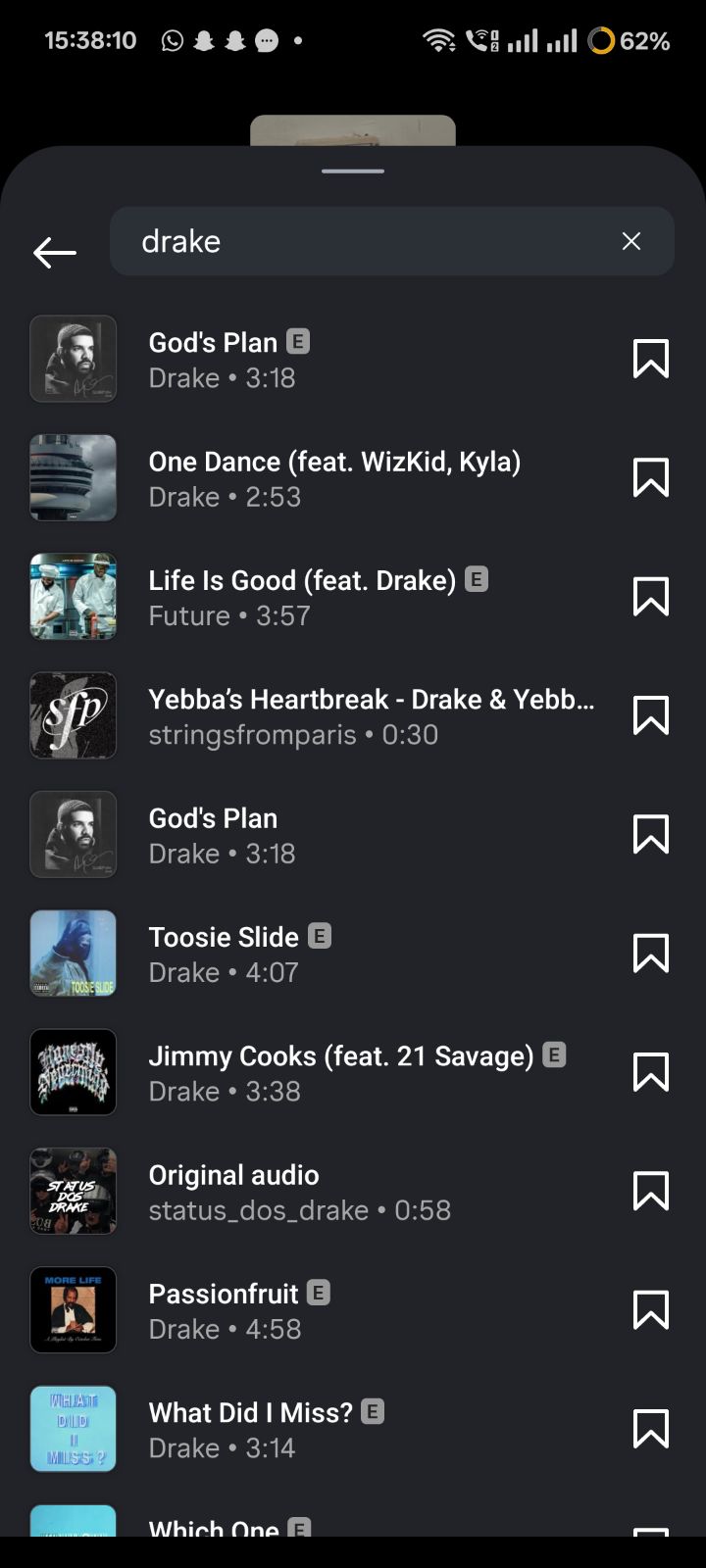
At first, I searched using only a singer name and some incomplete or wrong song wording. For example, when I typed only the artist name “Drake”, I could not find the result I was expecting. It either showed unrelated options or nothing useful.
But when I typed the exact original title of the song, the result appeared properly.
In Place of Placeholder 1:
An example of typing just the artist name “Drake” in the search bar, which fails to index or surface his latest mainstream tracks.
In Place of Placeholder 2:
Typing the exact, specific song title instead of just the singer instantly brings up the correct licensed track in the search results.
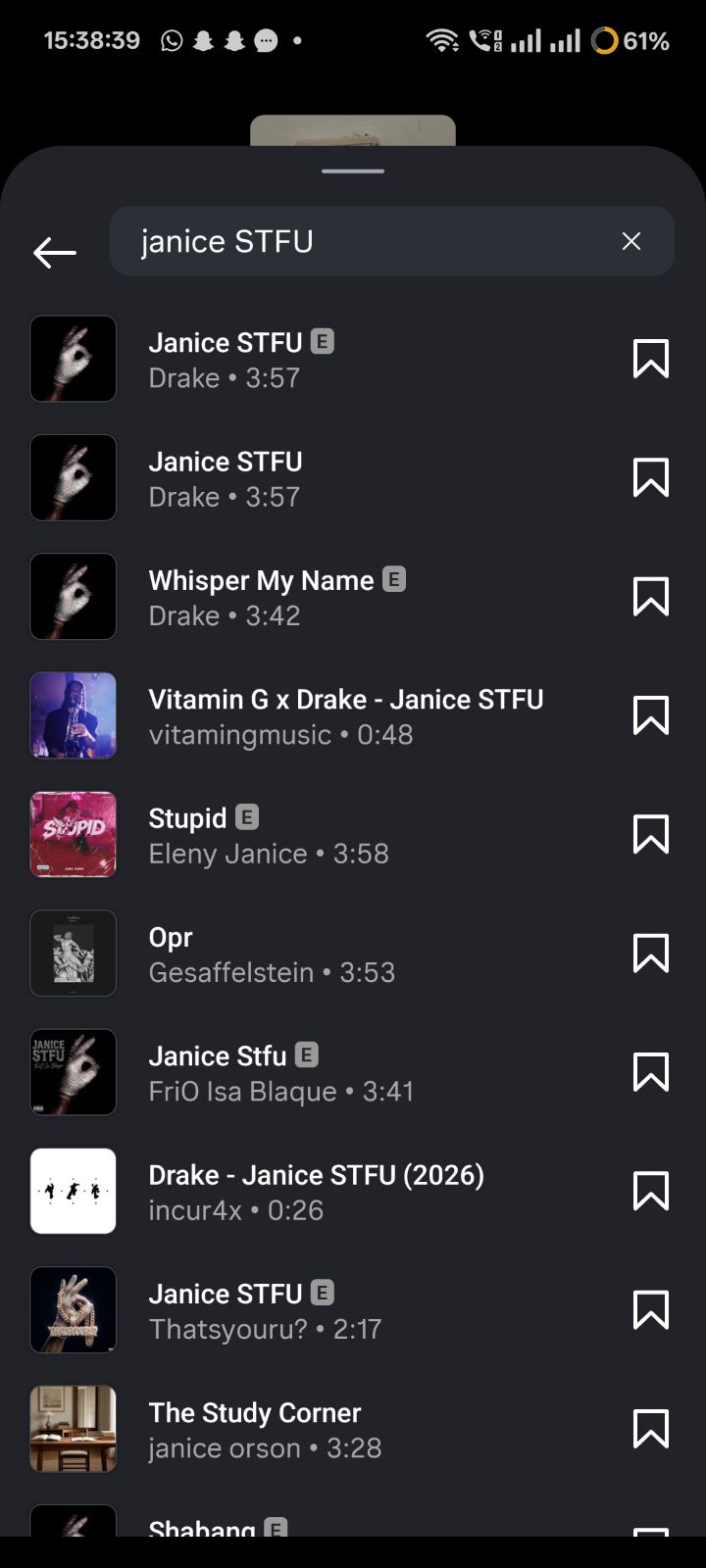
What this means: if you type the wrong title, a half title, or just the singer’s name, Instagram may not show the song you want. So before assuming the app is broken, try searching with the full and correct song title.
This was one of the most useful things I personally noticed during testing, and it is worth checking before moving to bigger fixes like reinstalling the app.
2) Is That Song Even Available on Instagram Music?
This was my second big takeaway while researching this article.
I specifically looked into whether all songs are available in Instagram music while uploading a Story or post, and what I found made the issue much clearer.
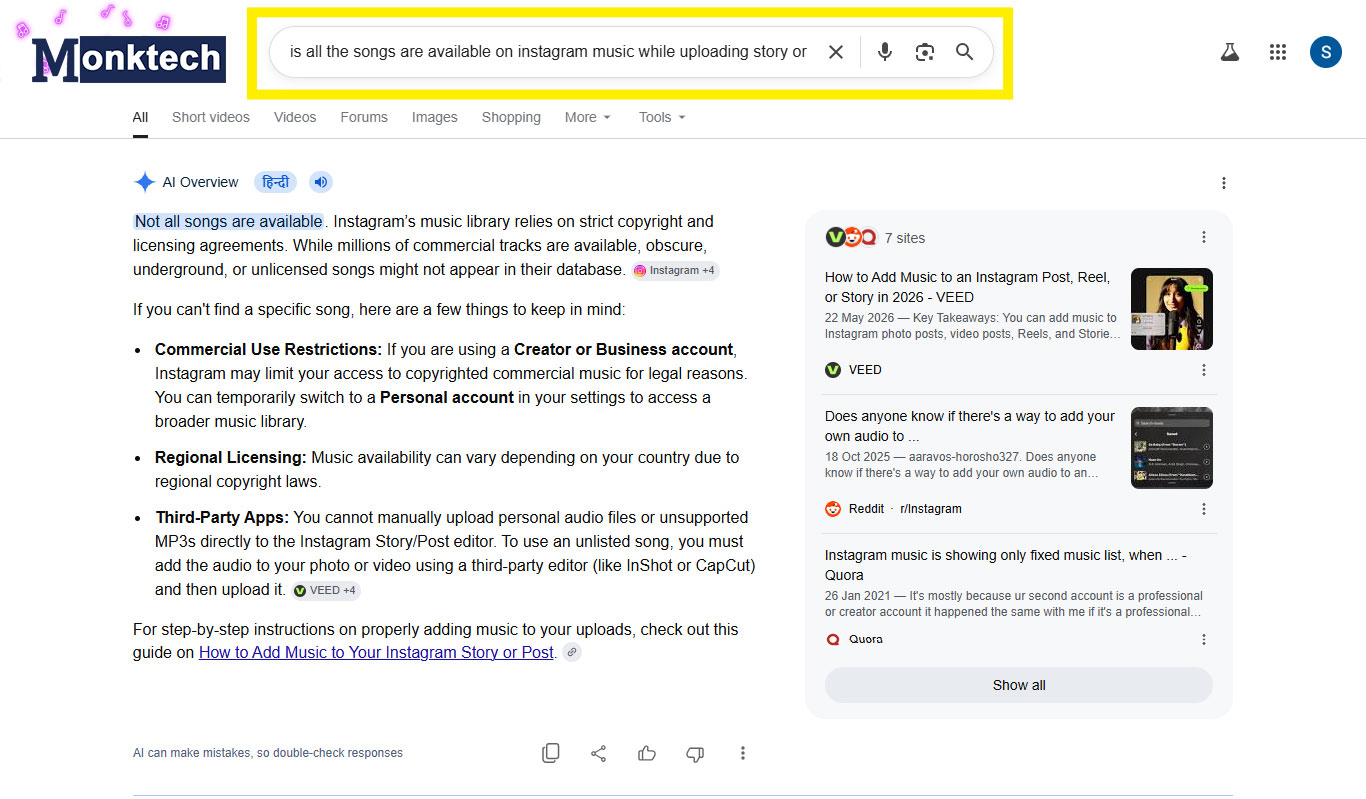
What it means: if you search for a song and cannot find it inside Instagram’s music library, that does not always mean there is an error.
It may simply mean:
- The song is restricted because of copyright or licensing agreements
- The song is unavailable in your country or region
- The track is not licensed for Instagram’s in-app music library
So yes, sometimes the issue is technical. But sometimes the song is just not available there in the first place.
What Seemed to Help Most Based on My Research
Instead of pretending this is a formal data study, I want to be clear: the order below is based on my own testing, repeated user replies, and the most commonly helpful patterns I saw across public discussions.
In other words, these are not lab-tested percentages. They are practical fixes that kept showing up again and again when users described what helped them.
1) Switch from Business to Personal or Creator
This was one of the strongest repeated patterns I found while reviewing user discussions.
If your Instagram account is set to Business, you may see a more restricted music library. That is because business accounts can have limited access to copyrighted music for commercial-use reasons, something also reflected in Instagram’s official help guidance.
This is why many users said they suddenly got their music options back after switching to a Personal or Creator account.
How to try it:
- Open your Instagram Profile
- Tap the three lines in the top-right corner
- Go to Settings and Privacy
- Open Account Type and Tools or business tools section
- Choose Switch Account Type
- Switch to Personal or Creator
If your issue is happening because of account-level music restrictions, this can help very quickly.
2) Reinstall Instagram Properly
If your search bar is acting blank, freezing, or showing weird results, a full reinstall is one of the most commonly suggested fixes in user discussions.
This makes sense because reinstalling removes old app files and forces Instagram to load everything fresh again.
How to do it:
- Delete the Instagram app from your phone
- Restart your device
- Install the latest version again from the App Store or Play Store
- Log in again and recheck the music search
Do not just update the app if it is already behaving strangely. A clean reinstall is usually a better test than a normal update.
3) Use the Exact Song Name
Yes, I know I already mentioned this above, but it deserves its own fix section because it can save a lot of time.
During my own testing, Instagram search did not always return the right song when I used only the artist name or an incomplete title. But using the exact song title gave me a much better result.
So if you are typing only things like:
- Artist name only
- Wrong spelling
- Shortened version of the title
- Half title with missing words
then try the complete and correct title before doing anything else.
4) Try the Saved Audio Workaround
If the search itself is not helping, another practical workaround is to use audio from an existing Reel.
Many users shared that they could still access a song by opening another Reel using that track and then saving the audio from there.
How to do it:
- Find a Reel that already uses the song you want
- Tap the song name shown on the Reel
- Save that audio
- Go back to your Story or Reel draft
- Open your saved audio and use it from there
This does not always solve the actual search problem, but it can help you use the song anyway.
5) Log Out and Log Back In
This is another common refresh step users mentioned, especially when the issue affected one account but not another on the same device.
Logging out and back in may help reset account-side sync issues.
How to do it:
- Go to your profile
- Tap the menu icon
- Scroll down and tap Log Out
- Close the app completely
- Open it again and sign in
6) Clear Cache on Android
This is more of a support fix than a main fix, but it can still be worth trying on Android phones.
Steps:
- Long-press the Instagram app icon
- Tap App Info
- Open Storage & Cache
- Tap Clear Cache
If you are using an iPhone, there is no direct cache-clear option like Android, so reinstalling is usually the better path.
Why This Blog Is Different From Generic Troubleshooting Posts
Most articles on this topic jump straight into standard fixes and stop there. But while researching this post, I found that two important details are often missed:
- Search wording matters — using the wrong or incomplete title can make it look like the song does not exist
- Not all songs are available — licensing and country restrictions can be the real reason a song is missing
That changes the whole meaning of the problem. Sometimes you do need to fix the app. But sometimes you simply need to search better or accept that the track is not available in your region’s library.
That is exactly why I included my own testing experience here, instead of writing this as a copy-paste troubleshooting list.
What Not to Assume
- Do not assume every missing song means a bug
- Do not assume typing only the singer name is enough
- Do not assume all songs exist in Instagram’s library
- Do not assume business and personal accounts get the same music access
These small assumptions are often the reason people waste time trying random fixes that do not match the real cause.
What Should You Do First?
If you want the shortest path, do these steps in order:
- Search again using the exact song title
- Check whether the song may be unavailable because of licensing or region
- See if your account is set to Business and switch it if needed
- Reinstall Instagram
- Use saved audio from another Reel
- Log out and log back in
This order makes more sense than jumping straight to random fixes, because it helps you first figure out whether the problem is with your search, your song availability, your account type, or the app itself.
Final Thoughts
If Instagram music search is not loading songs, the issue is not always as simple as “Instagram is broken.” From my own testing and the repeated patterns I saw in forum discussions, the real answer usually falls into one of these buckets: wrong song search, unavailable song, account restriction, or app-side glitch.
That is why this blog focuses on what actually seems to matter in real use, not just generic advice. Start with the easy checks first, especially the correct song title and your account type, and then move to reinstalling the app if needed. If persistent bugs have you completely tired of troubleshooting, you can always review our guide on how to delete or deactivate an Instagram account to take a break from the platform entirely.