
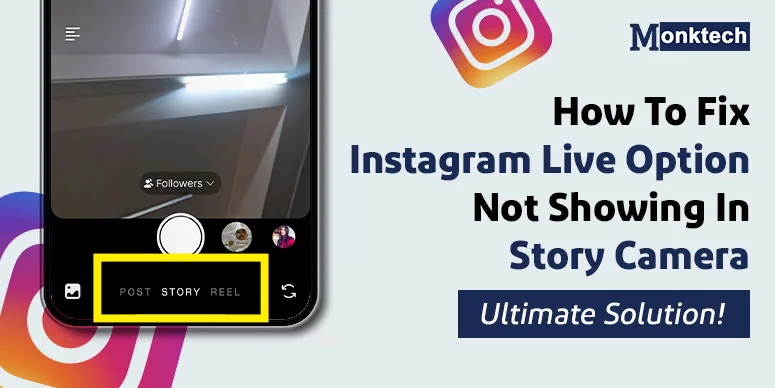
I have around 28 followers on my Instagram. I thought of going live and interacting with them. I couldn’t find the “Live Option” on my account.
I am currently using Instagram version 231.1.0.49.82 on my Android 15. Upon searching for the reason why the Live option is not visible on my account, something interesting came out. In this guide, I will show you how to fix the Instagram Live option not showing in the story camera.
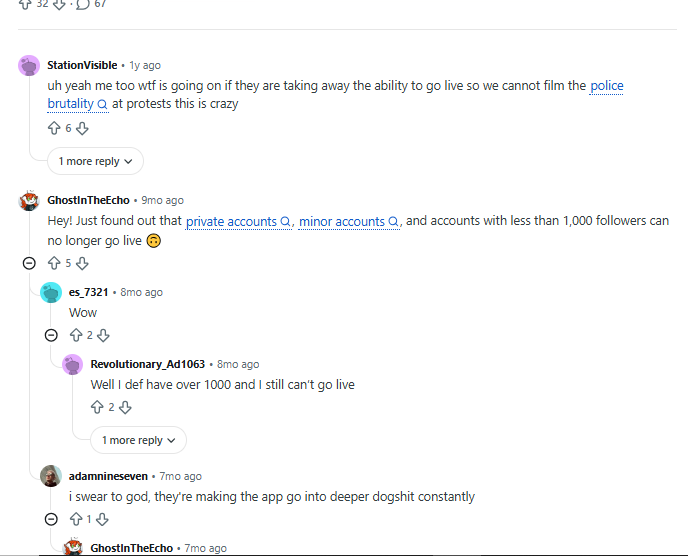
A lot of frustration is seen on Reddit, where users are struggling to go live on Instagram. Most of them are mentioning two things; because of that, they’re not able to go live on IG:
- Less than 1,000 followers
- Account is private
- Using Teen Account
- Technical Glitch
Why The Live Option Is Missing On Your Instagram Account
Let’s understand why the live option is missing on your account.
Reason 1: Low follower count:
Many users discussed how the followers on your account make a difference. If you have at least 1,000 followers on your account, you qualify for the Instagram Live option. And the option gets visible. Thus, fewer than 1,000 followers is the reason the live option is not visible.
Reason 2: Account Status Kept Private:
If you set your account as private, the live option is already hidden. It’s because going live is an open invitation to your followers, but since you keep your account private, there’s no need for the live option. So, you can’t find the option there.
Reason 3: Using a Teen Account:
When you are a teen and using a teen account, the permission to go live on Instagram is not given. It’s the default setting of the platform that a teen is not allowed to go live. Such users need parents’ permission to do so.
Check out the blog if the contacts are not visible while sharing reels on Instagram.
How To Get Back The Instagram Live Button if Missing
To get the Instagram live button, make sure you fulfil the eligibility criteria. Have a look:
Fix 1: Set your account as “Public”
Make sure your Instagram account is public. This is when the Live options work, and your followers get notified about your live. Here is how you do it:
- Tap the Instagram profile.
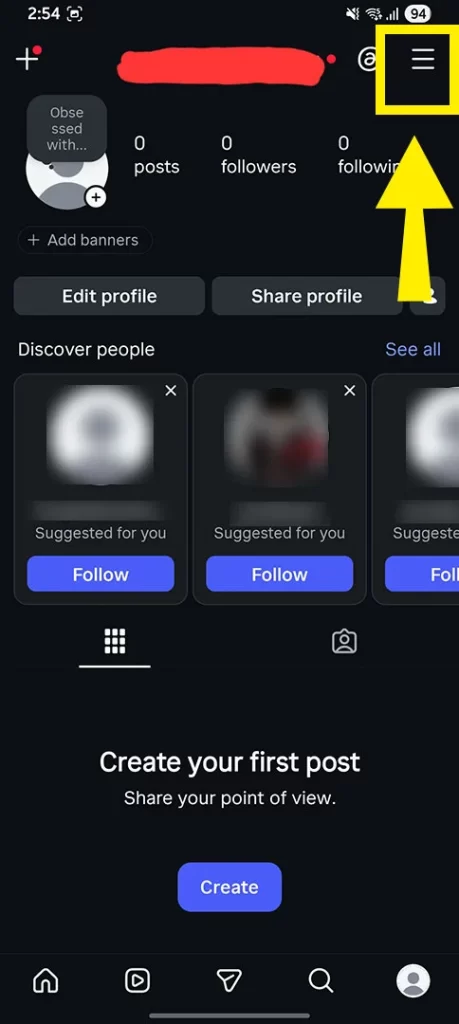
Step 1: Open your Instagram profile and navigate to the options menu.
- Tap the hamburger in the top right.
- Click ‘Account Privacy’ under the ‘Who can see your content’ section.
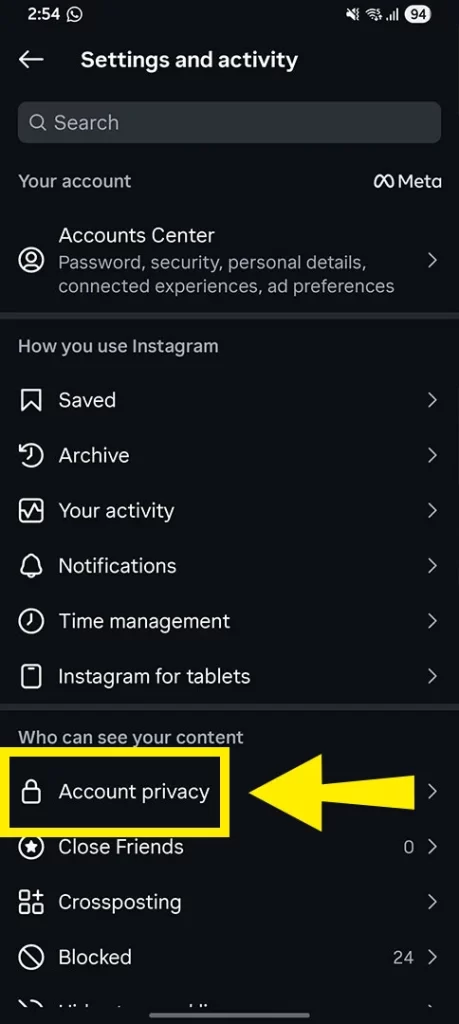
Step 2: Tap the hamburger menu (three lines) in the top right corner of your profile.
- Toggle off the private account option.
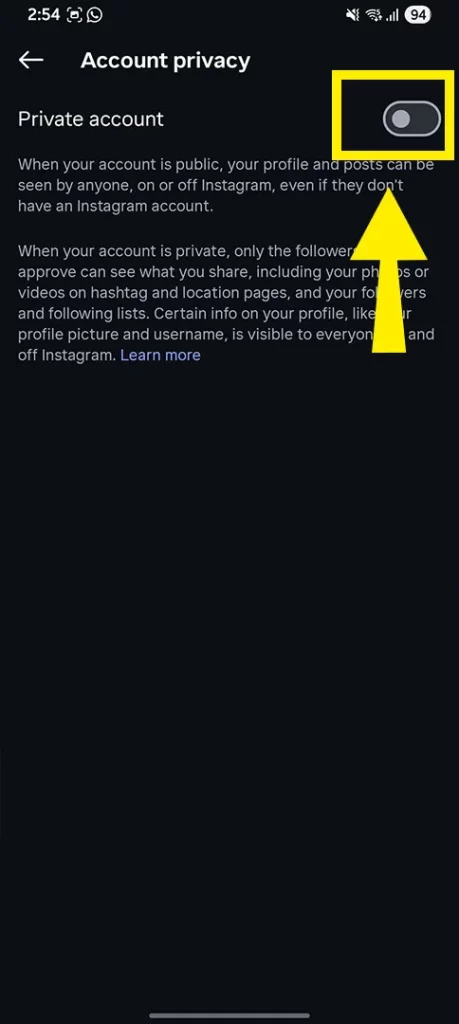
Step 3: Toggle off the ‘Private account’ switch to make your profile public.
Fix 2: Ensure you’re 18+
A minimum age requirement for a user to create an Instagram account is 13 years. After that, if he/she is between 16 and 17 years old, they can go live but with strict restrictions. Anyone above 18 qualifies for Instagram Live without any restrictions.
How To Go Live On Instagram – Steps To Follow!
- Open Instagram and Swipe right on the screen to open the camera panel.
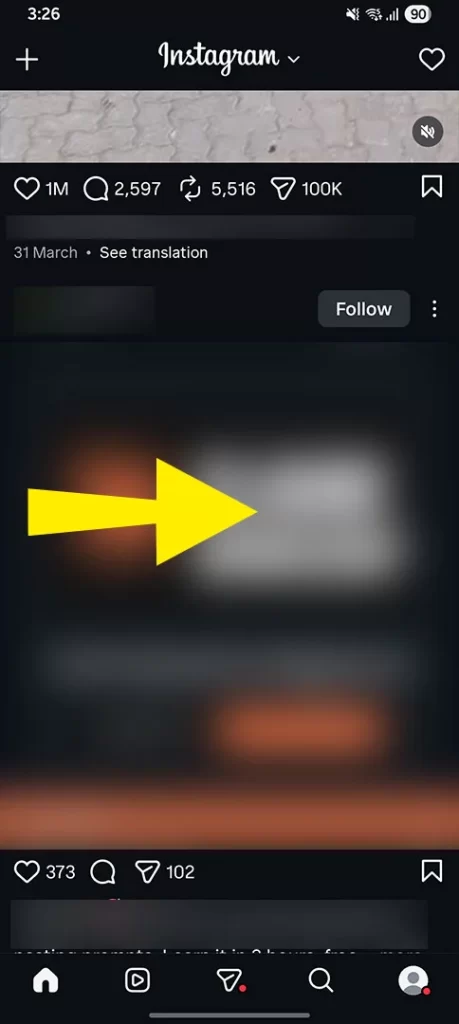
- Select “Live” from the bottom.
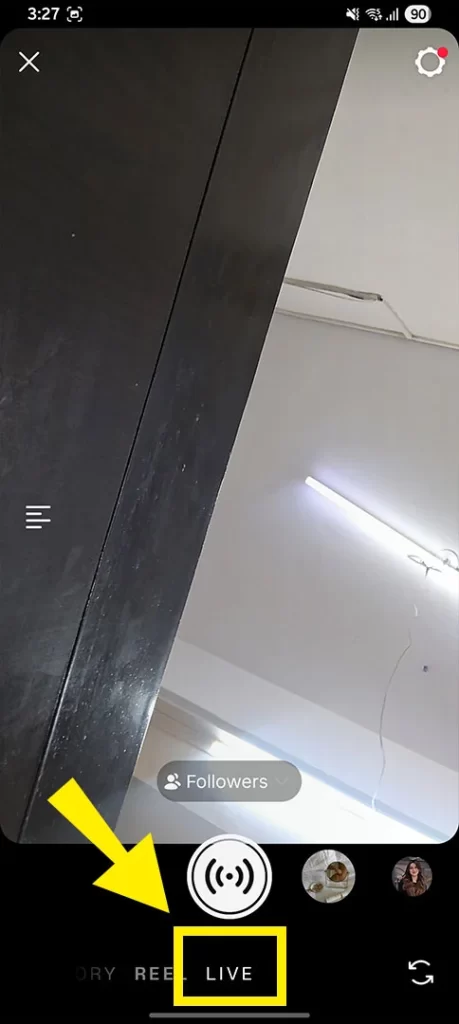
- Select audience (followers, close friends): who you want to notify about your live.
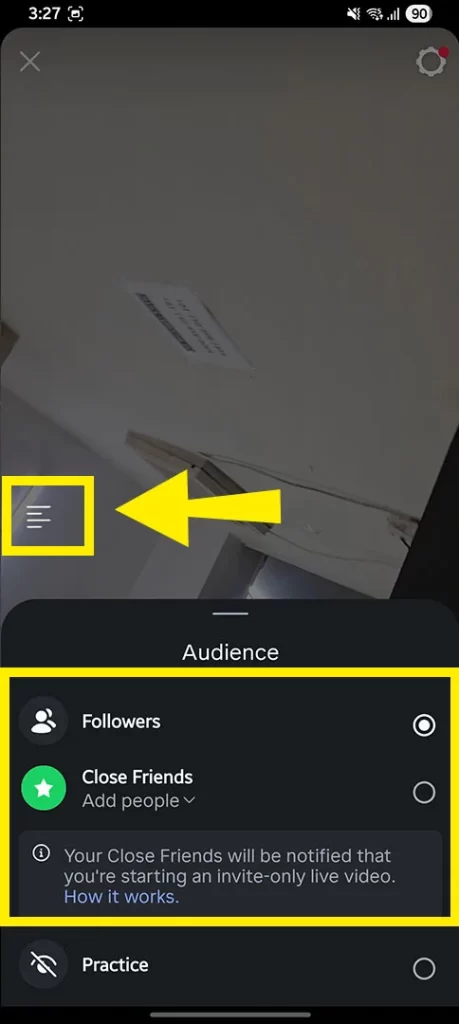
If it’s a private profile, a message will display like: Your profile is no longer eligible. In such a case, put your profile as public and then proceed further.
- Click the left-side option to open options: add a title, brand partners, etc.
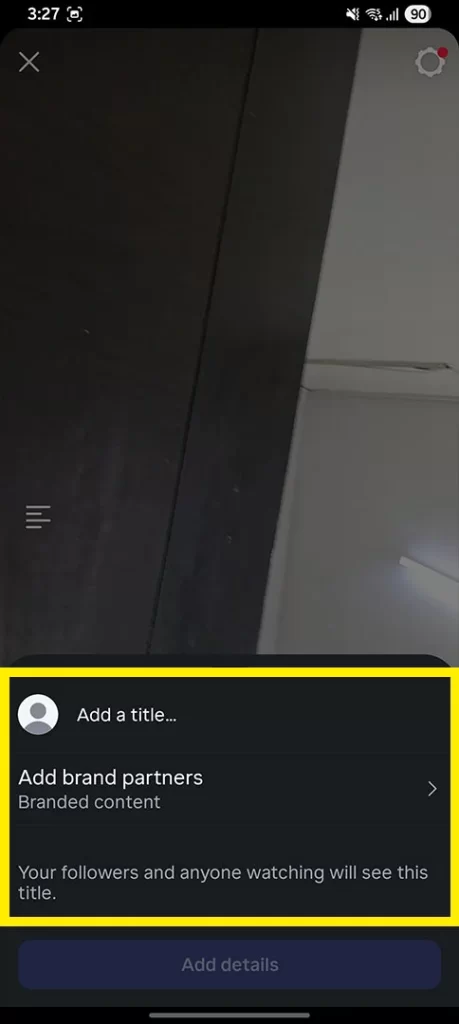
- Finally, tap the Go Live button, and you’re live.
Note: As soon as you complete the live, end it by clicking the “Cross” icon. You can share your live to your profile as well. While saving your live, only your video will be displayed, not the comments, likes, and other interactions.
You can fix if Instagram repost option is missing.