
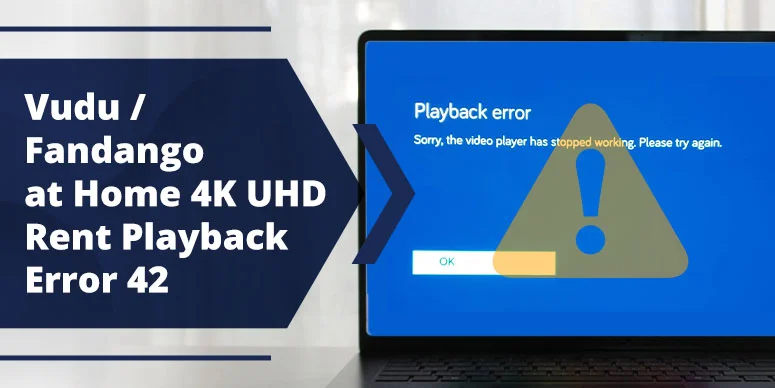
If you’re seeing “Playback Error 42” while trying to watch a rented 4K UHD movie on Vudu / Fandango at Home in the USA, you’re not alone. In 2026, this error still hits many users—especially around big May rentals like Mortal Kombat II or similar studio releases—when they try to stream in 4K. The good news is: error 42 is usually fixable, and in most cases it’s not a sign that you’ve “lost” your 4K UHD rental.
This guide walks you through exactly what playback error 42 means, why it’s more common on 4K UHD rentals, and how to fix it on your 4K Smart TV, streaming stick, or gaming console. By the end, you’ll also know how much speed you actually need and how to test whether your internet, your HDMI chain, or your TV app is the real bottleneck.
What Does “Playback Error 42” Mean on Vudu / Fandango at Home?
Vudu / Fandango at Home usually shows messages like:
- “Playback Error 42”
- “Playback error / we encountered a problem during playback. Please try again.”
when one of the following happens during a 4K UHD stream:
- The player can’t maintain the required bitrate for 4K.
- The network drops or fluctuates below a stable minimum.
- The HDMI chain or HDCP handshake fails (common on built‑in TV apps).
- There’s a temporary app or device glitch.
According to Vudu’s own troubleshooting page, “Playback Error” messages are usually related to connectivity or device issues, not a permanent loss of your rental.
Why Playback Error 42 Hits 4K UHD Rentals in 2026
4K UHD is far more demanding than HD or 1080p. When you press play on a 4K rental, Vudu / Fandango at Home is pushing a lot more data per second, which stresses your:
- Internet connection,
- HDMI / HDCP chain,
- TV or streaming‑box app.
Common reasons error 42 appears only on 4K UHD rentals include:
- Network drops or “marginal” bandwidth:
Even if your ISP advertises 100–200 Mbps, real‑time dips can break 4K UHD playback. Reddit users report Error 42 on 100Mbps plans during bitrate drops below 80Mbps. - HDCP / HDMI issues:
Some TVs or cables fail HDCP 2.2 checks, so 4K UHD gets blocked while HD still works. Fandango’s own forum threads confirm that “playback error due to HDCP” pops up when the output/display chain doesn’t meet copyright‑protection rules. - App or firmware bugs on TV‑side apps:
Built‑in Vudu / Fandango at Home apps for brands like Sony, LG, Samsung, or Vizio sometimes glitch on 4K UHD but not on HD. Reddit reports 4K errors repeating at ~42min timestamps on consoles, indicating app bugs.
In 2026, as more films and blockbusters are pushed for 4K‑only‑premium pricing, providers are stricter about bitrate and HDCP. That’s why you might watch Netflix 4K or YouTube 4K just fine, but hit playback error 42 only on Vudu / Fandango at Home 4K UHD.
Quick‑Fix Checklist for Vudu 4K UHD Playback Error 42 (2026)
Follow these steps in order; most users clear error 42 without changing their internet plan.
1. Restart the App and Device
Sometimes error 42 is just a temporary hiccup in the Vudu / Fandango at Home player.
On your TV, streaming box, or console:
- Close Vudu / Fandango at Home from the app switcher or menu.
- Power cycle your TV or streaming box (unplug it for 30 seconds if possible).
- Relaunch the app and try your 4K UHD rental again.
As shown in multiple Fandango & Vudu support pages and YouTube tutorials, a simple restart of the TV, router, and app frequently clears playback errors on 4K streams.
2. Update the Vudu / Fandango at Home App and TV Software
An outdated app or TV firmware can break the 4K UHD handshake.
Do this:
- On your TV or console, go to the app store and check for Vudu / Fandango at Home updates.
- Optionally, check your TV’s system‑settings menu for firmware updates; newer 2025–2026 TVs often get HDCP‑related patches.
After updating, restart the device and try the 4K UHD rental again. Many users report that once the app and TV are updated, playback errors disappear on 4K UHD while remaining on older builds.
3. Try a Different HDMI Port or Cable
This is one of the most underrated fixes for 4K‑only error 42.
Do the following:
- Switch to a different HDMI port on your TV or AV receiver.
- Use a 4K‑certified, high‑bandwidth HDMI cable (preferably one labeled for HDMI 2.0 / 2.1).
- If you have an AV receiver as an intermediary, try connecting the streaming box directly to the TV.
A classic Fandango forum thread on “playback error due to HDCP” concludes that many users fixed 4K failures by replacing or swapping HDMI cables and ports, while HD streams continued to work fine.
4. Switch Between 4K Tiers or Downgrade to 4K‑HD
Some users report that cycling between 4K and 4K‑lite tiers forces the app to renegotiate the stream, clearing error 42.
On Vudu:
- Open the movie and tap the settings / gear icon.
- Choose a slightly lower quality (for example, 4K‑HD or HDX) and let it load.
- Once the movie starts playing, switch back to UHD if you want; many viewers find this “handshake‑reset” trick smoother than restarting the whole stream.
If you’re happy with near‑4K clarity, staying on 4K‑HD or HDX indefinitely can prevent repeated playback errors while still looking sharp on a 4K TV.
5. Re‑login or Re‑link Your Account
Corrupted login tokens or account‑linking issues can trigger playback errors, especially after a device‑wide reset.
In Vudu / Fandango at Home:
- Go to Settings or Profile and select Log Out.
- Reboot your device if you haven’t already.
- Launch the app again and log in with your credentials.
- If you use Movies Anywhere or similar linked services, re‑authenticate or relink where needed.
A YouTube tutorial on “Vudu playback error Samsung TV: resolved” shows that clearing the app cache and re‑logging in can remove glitches that cause playback errors on otherwise healthy connections.
The “Internet Speed vs. Cable Type” Table (Zero‑Click Anchor)
For a 4K UHD Vudu rental to stream smoothly, you need more than a headline “4K‑ready” speed; you need stable, low‑jitter bandwidth. Below is a practical table comparing common connection types in the USA.
| Cable Type / Connection | Typical Speed Range | Enough for 4K UHD Vudu? | Notes |
|---|---|---|---|
| Cable (Comcast‑style) | 50–400 Mbps | Usually yes for 4K UHD | Can drop under heavy load; use Ethernet over Wi‑Fi if possible. |
| Fiber (1 Gbps‑style) | 500–1000 Mbps | Easily enough for 4K UHD | Best‑case scenario; errors here are usually device‑ or HDMI‑specific, not raw speed. |
| Mobile‑Wi‑Fi hotspot | 5–50 Mbps | Often not enough | 4K UHD may fail; drop to HDX / HD if you must. |
| Bottlenecked Wi‑Fi | 20–30 Mbps (on paper) | Mixed | Unstable Wi‑Fi often triggers buffering and playback errors even if headline speed looks OK. |
Takeaway: If you’re on a 4K‑class connection (100+ Mbps cable or fiber) and still hitting playback error 42 on 4K UHD rentals, the problem is usually HDCP, HDMI, or TV‑app issues—not your internet speed.
How to Test If You’re Really Hitting a 4K UHD Bottleneck
Before you change your internet plan, run these quick checks:
- Run a speed test on Ethernet
Plug your streaming box or TV directly into the router via Ethernet, run a speed test, and compare it to your Wi‑Fi speeds. If Ethernet is consistently high but Wi‑Fi dips, switch to wired for 4K UHD rentals. - Compare 4K UHD vs HDX / HD
Rent or play the same movie in HDX or 1080p; if it streams without error while 4K UHD fails, the issue is almost certainly with 4K‑specific bitrate or HDCP, not your general connection. - Check other 4K apps on the same TV
If Netflix, YouTube, or Amazon Prime 4K work fine in your setup but only Vudu / Fandango at Home errors on 4K, the problem is likely app‑ or service‑level.
By isolating whether the problem is speed‑driven or device‑driven, you avoid wasting money on an unnecessary ISP upgrade.
When You Should Change Your Playback Quality (Not Your Internet)
For some users, the only reliable way to avoid playback error 42 on certain 4K titles is to slightly lower the quality.
Here’s what this looks like in practice:
- Set your default Vudu playback to 4K‑HD or UHD‑downgraded tier instead of max‑quality 4K UHD.
- Use this setting for big‑world‑premiere rentals or long‑distance‑Wi‑Fi setups where buffering is common.
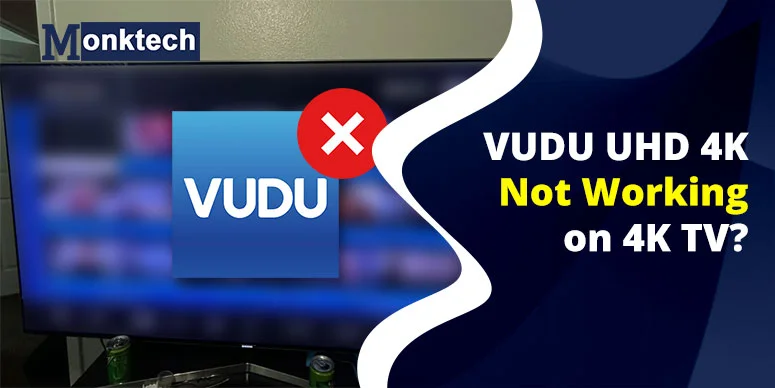
A YouTube video titled “VUDU UHD 4K Not Working On Your 4K TV? TRY THIS!!” shows that toggling between HDX and UHD forces Vudu to refresh the stream, and once the app settles on a stable quality, playback proceeds without interruption.
Keep in mind: 4K‑HD or HDX still looks excellent on a 4K TV for most viewers, and it’s often smoother than max‑bitrate 4K when your network or HDMI chain is weak.
FAQ – “Playback Error 42 on 4K UHD Rental”
Why does Vudu playback error 42 only happen on 4K UHD rentals?
4K UHD requires higher bitrate and stable HDCP‑compliant HDMI; if your speed dips or your HDMI chain is weak, playback error 42 shows up more often than on HD or 1080p playback.
For a full breakdown of HDMI, HDCP‑2.2, and 4K‑settings issues on your TV, check our VUDU UHD 4K Not Working on 4K TV troubleshooting guide.
How to fix Vudu 4K UHD playback error 42 on Fandango at Home?
Restart the app and your TV, update Vudu / Fandango at Home and your TV firmware, switch HDMI ports or use a 4K‑certified cable, and if needed, temporarily drop to 4K‑HD or UHD‑lite to avoid playback interruptions.
Does error 42 mean I lose my 4K UHD rental?
No; playback error 42 usually means a temporary glitch in the stream or device. You can restart the playback, switch to a lower quality, or relaunch the app and continue watching your 4K‑rented movie.
How much speed do I need for 4K UHD on Vudu?
For smooth 4K UHD on Vudu, aim for at least 40–50 Mbps of steady speed; cable or fiber at 100+ Mbps is preferred, and Ethernet is better than crowded Wi‑Fi.
Can HDMI cables cause Vudu 4K UHD playback error 42?
Yes; non‑4K‑certified or damaged HDMI cables can fail HDCP negotiation, blocking 4K UHD while HD still plays fine. Swapping cables or HDMI ports often resolves 4K‑only playback errors.
Is playback error 42 a common 2025–2026 issue or just me?
Playback error 42 is a known 4K UHD issue on Vudu / Fandango at Home, with multiple users reporting it on 4K TVs, consoles, and streaming sticks in 2025–2026. It’s often tied to app or HDCP bugs, not a one‑off glitch.
Related Tips for Vudu / Fandango at Home Users in 2026–2027
While you’re troubleshooting 4K rentals on Vudu / Fandango at Home, these broader tips will keep your entire streaming experience smoother:
- Keep your TV and streaming‑box firmware updated; many 2026‑year patches address HDCP and 4K handshake quirks.
- Use Ethernet whenever possible for 4K UHD