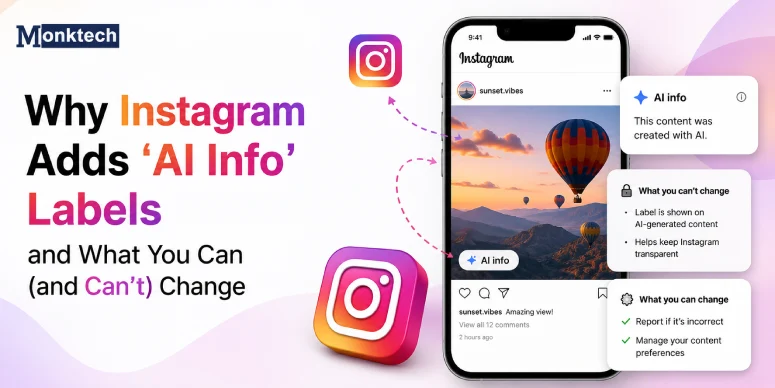

If Instagram suddenly labeled your friends as “AI” and you can’t send Reels to them, don’t worry — it’s likely a temporary glitch linked to new AI‑chat features, not something you did wrong.
Based on user reports on Reddit and coverage from tech sites like AndroidCentral and Ubergizmo, many users in the U.S. and other regions report the same bug: their real friends get tagged as “AI” in the chat list and disappear from the Reel share sheet, even when they type the name exactly.
To fix Instagram labeling your friends as “AI” and blocking Reel sharing, the quickest solutions are: log out and log back in, clear the app’s cache (or offload‑reinstall on iOS), and if that fails, uninstall and reinstall the latest Instagram version and test again.
What This Bug Looks Like for Real Users
Users on Reddit and tech sites describe a very specific pattern:
- Friends appear with an “AI” tag or are grouped under “AI” in Instagram’s chat list.
- You can still see them in DMs and previous conversations look normal.
- When you tap “Send” or “Share” on a Reel, those same friends do not show up in the list.
- Even if you search their name in the share screen, nothing appears.
- The issue sometimes affects close friends, partners, or family, which makes it even more confusing.
Some users say it started “out of nowhere” and only affects certain contacts, not everyone. Others report that their whole list glitched, and almost every friend looked like an AI contact for a short time. Several tech outlets confirm that Instagram had a wider bug mislabeling real people as AI and breaking Reel sharing for some accounts.
Why Instagram Is Labeling Real Friends as AI
Meta has been rolling out AI chat and AI label features across Instagram, and this bug seems tied to that rollout. From public reports and news articles, here is what is most likely happening:
- AI chat experiments: Instagram is testing AI-powered chats and AI labeling for content. Some users see banners like “AI chats are not yet available to everyone,” and at the same time, their friend list glitches and shows “AI” tags.
- Back-end contact list bug: For a short period, some accounts had their contact metadata mis-tagged, making Instagram think certain people were AI contacts or test entries instead of normal friends. This is why Reels could not be shared with them, even though DMs still worked.
- Rollout timing: Reports cluster around the same dates. That pattern usually points to a server-side bug, not a local phone problem.
In other words, this is almost certainly a platform glitch, not a sign that your friends are actually bots or that your account has been flagged. That also means there is no permanent setting you changed to cause it—and the “fix” is more about resetting the app and waiting for Instagram to patch the bug than tweaking every menu.
Quick Fixes That Help Most People
Even though this is a bug on Instagram’s side, users have found a few practical steps that often restore normal behavior faster. These are based on multiple Reddit replies and independent tech write‑ups, not just one anecdote.
1. Log Out and Log Back In (Clears Corrupted Session Data)
Many users say the simplest fix is:
- Open the Instagram app.
- Go to your profile.
- Tap the menu (three lines) in the top right.
- Scroll down and tap Log out of your account.
- Close the app fully (swipe it away from recent apps).
- Reopen Instagram and log back in.
For some people, this instantly made their friends show up again in the Reel share screen and removed the weird AI tagging.
2. Log out on all devices and log in on just one
Because Instagram syncs sessions across phones, tablets, and browsers, it helps to clean up your sessions if you have multiple logins:
- Log out of Instagram on every device you use (phone, tablet, desktop).
- Restart your main phone.
- Log back in on that one device only.
- Test if your friends now appear when sharing a Reel.
Some users noticed the glitch appeared right after they had two accounts or two devices logged in at the same time, and clearing those sessions seemed to help.
3. Clear Instagram’s cache (Android) or offload the app (iOS)
If a sign‑out/sign‑in cycle doesn’t help, try resetting the app’s local data without touching your account:
On Android:
- Go to Settings > Apps > Instagram.
- Tap Storage.
- Tap Clear Cache (avoid “Clear Data” unless you’re OK re‑logging and resetting settings).
On iOS:
- Go to Settings > General > iPhone Storage.
- Tap Instagram.
- Tap Offload App to remove the app but keep documents and data.
- Tap Reinstall App.
Some users who tried this reported that the “friends labeled as AI” issue disappeared after the cache reset, especially when combined with a fresh login.
4. Uninstall and reinstall Instagram
If you still can’t send Reels to certain friends:
- Uninstall Instagram from your device.
- Restart the device.
- Download the latest version from the App Store or Google Play.
- Log back into your account and test Reel sharing again.
A few added that the issue later came back, which suggests Instagram was still rolling out fixes on the server side.
5. Check if the friend’s account is deactivated or banned
A smaller set of users noticed that friends who were temporarily banned or deactivated no longer appeared in the share list and sometimes behaved differently in DMs. One comment suggested that missing contacts in the share sheet can happen when a friend’s account is under review or disabled.
If:
- Only one or two specific friends are missing, and
- They cannot log into their own account or see warnings,
then the problem might be on their side, not yours. In that case, your local fixes won’t change much until Instagram restores their account.
Why This Keeps Happening Even After Fixes
Some people report that logging out, reinstalling, or clearing cache works for a while but the bug comes back after a day or two. Here is why that can happen:
- Ongoing testing: Instagram often rolls out new features in waves. If the AI chat rollout or experiments are still active, your account might get re‑assigned to a test group after you fix it locally.
- Server-side logic: The labeling and share‑target logic live on Instagram’s servers. Local resets help your app re-sync, but the real fix has to come from Meta’s engineering team.
- Different devices and accounts: If you use multiple accounts on the same phone or switch often between personal and business profiles, some bugs only show up on one profile while the others look fine.
Because of this, it’s important to think of these steps as workarounds, not permanent cures. They can restore normal sharing while Instagram cleans up the bug globally.
Step-by-Step Checklist: What to Try in Order
To keep this simple and mobile-friendly, here’s a short checklist you can follow when Instagram labels friends as AI and blocks Reels sharing.
- Confirm the symptom: Check if your friends appear normal in DMs but do not appear when you tap “Send” on a Reel, even when you search their names.
- Basic reset: Log out of your account, close the app, reopen it, and log back in.
- Session cleanup: Log out of all devices, then log in on one phone only and test again.
- Cache reset: Clear the Instagram app cache (Android) or offload and reinstall the app (iOS).
- Full reinstall: Uninstall Instagram, restart your phone, reinstall from the store, and log back in.
- Check your friend’s status: Ask if the friend can log in and use their account normally. If they can’t, the issue may be on their side.
- Wait for a platform fix: If nothing helps and many people you know have the same problem, treat it as a platform bug and give Instagram some time to patch it.
Common Mistakes to Avoid
When this glitch hits, it’s easy to panic or assume your account is in trouble. Here are mistakes that do not help:
- Creating multiple new accounts immediately: That probably will not fix the bug and can make your setup more confusing.
- Changing every privacy setting at once: There is no evidence that this issue is caused by blocked lists, Close Friends lists, or privacy toggles.
- Trusting random “fixers” on Telegram or DMs: People offering “AI label removal services” or “secret Instagram fixes” are usually scams.
- Deleting friends or chats without a backup: Removing people from your list just because they’re mislabeled as AI might make it harder to reconnect later.
Because this is a server-side glitch, the safest path is to reset your app, stay patient, and avoid risky shortcuts.
FAQ: Instagram Friends Labeled as AI and Reels Not Sending
Does this mean my friends are actually AI bots?
No. This bug does not turn your friends into bots. It’s a labeling and sharing glitch tied to Instagram’s AI‑chat rollout that affects real human contacts, and it will not change whether your friends are people or AI accounts.
Can Instagram ban me for this issue?
There is no sign that accounts are being banned over this specific bug. It is treated like a temporary technical problem, not a policy violation.
Is there a hidden setting to turn off AI labels?
For this particular bug, there is no hidden setting in the official app that reliably toggles the AI tag off for friends. The most effective steps are logging out/in, clearing the cache, and reinstalling while Instagram rolls out a server‑side fix.
Why can I DM someone but not send them Reels?
Instagram uses a slightly different share-target list for Reels sharing than for regular DMs. The bug seems to affect that share list, so your friend stays visible in DMs but gets filtered out when you try to send a Reel.
Should I report this to Instagram?
Yes, it helps. Use Settings > Help > Report a Problem and briefly explain that your real friends are labeled as AI and are missing from the Reel share screen. The more consistent reports Instagram receives, the easier it is for them to prioritize a fix.
Quick Takeaway
If Instagram labeled your friends as AI and you can’t send them Reels, it’s almost certainly a temporary glitch, not a penalty. Most people fix it—at least for now—by logging out and back in, clearing the app cache, or reinstalling Instagram, while Instagram slowly rolls out permanent server-side fixes. If your friends still don’t appear, treat it as a platform bug, keep your app updated, and avoid risky shortcuts or scams that promise “instant fixes.”
Also Read: